

Due to a system change on Wahoo’s side around the turn of the year, there is a connection issue that we are currently working on. However, it may still take some time until the problem is fully resolved.

Until then, you can use the following workaround to import your activities into Enduco and export workouts to Wahoo.
Reconnect Wahoo
One way to re-establish the connection to Wahoo immediately is the following. Please try this option first. If it doesn’t work, you can scroll down to the additional workarounds.
- Log in at https://www.wahooligan.com/profile
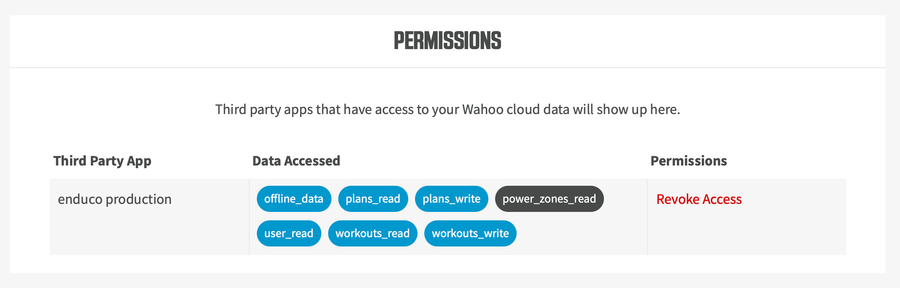
- At the very bottom of your profile, under “Permissions”, click “Revoke Access” next to “enduco production”
- Reconnect Wahoo in the Enduco app
Importing activities into Enduco
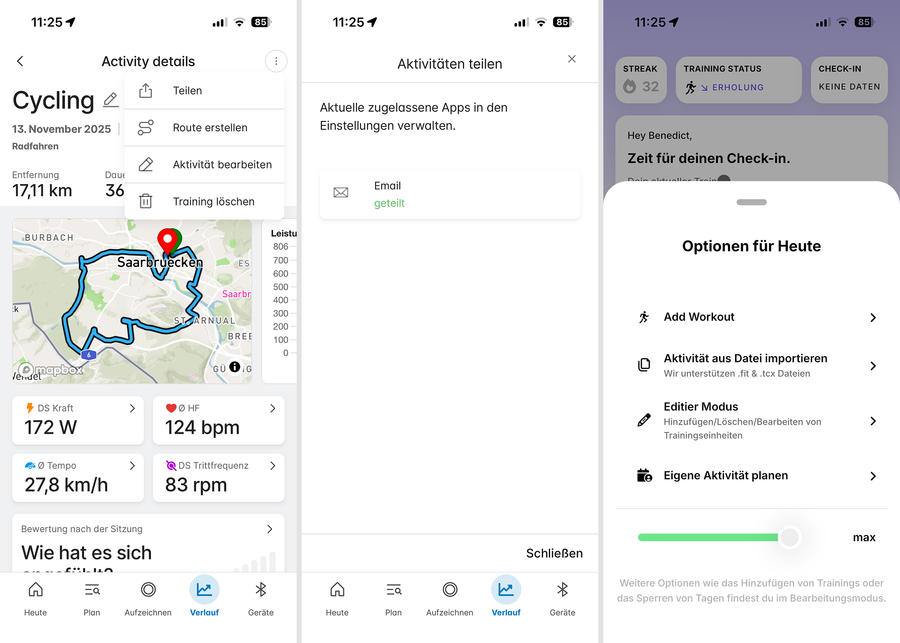
Activities can be imported into Enduco using .fit files.
First, allow activities to be shared via email in the Wahoo settings:
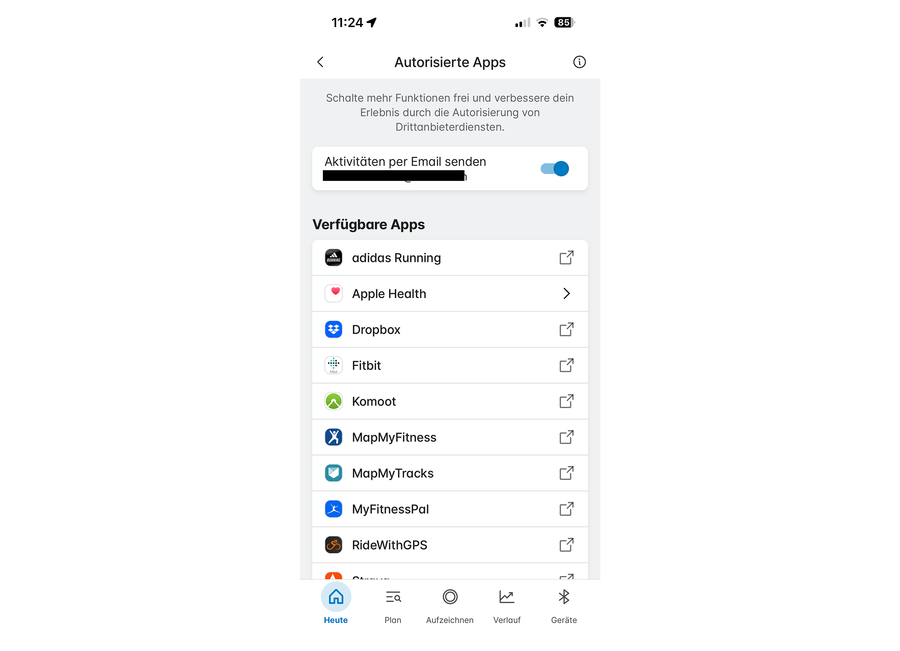
Afterwards, you can share your activities as a file via “Share” by email. You can then import this file into Enduco.
Exporting workouts to Wahoo
When exporting Enduco workouts to Wahoo, we recommend using a workaround via other platforms such as TrainingPeaks. You can create a free account there and activate the connection within Enduco.